Real Equipment. Real Skills. No Simulations.
Train on the exact same industrial hardware you will encounter on the factory floor. Our PLC Lab features industry-standard components from Allen-Bradley, Siemens, and more.
Welcome to the PLC Lab
When you step into our dedicated training facility, you aren't walking into a standard computer lab or a generic hotel conference room. Every desk is an independent, fully equipped industrial workstation. We don't make you share equipment, and we don't rely on software simulations.
You get your own dedicated programming laptop, your own industrial hardware trainers, and the space you need to wire, configure, and troubleshoot real-world control systems. From standard pushbuttons to advanced networking, everything here is designed to mirror the exact environment you face on the plant floor.
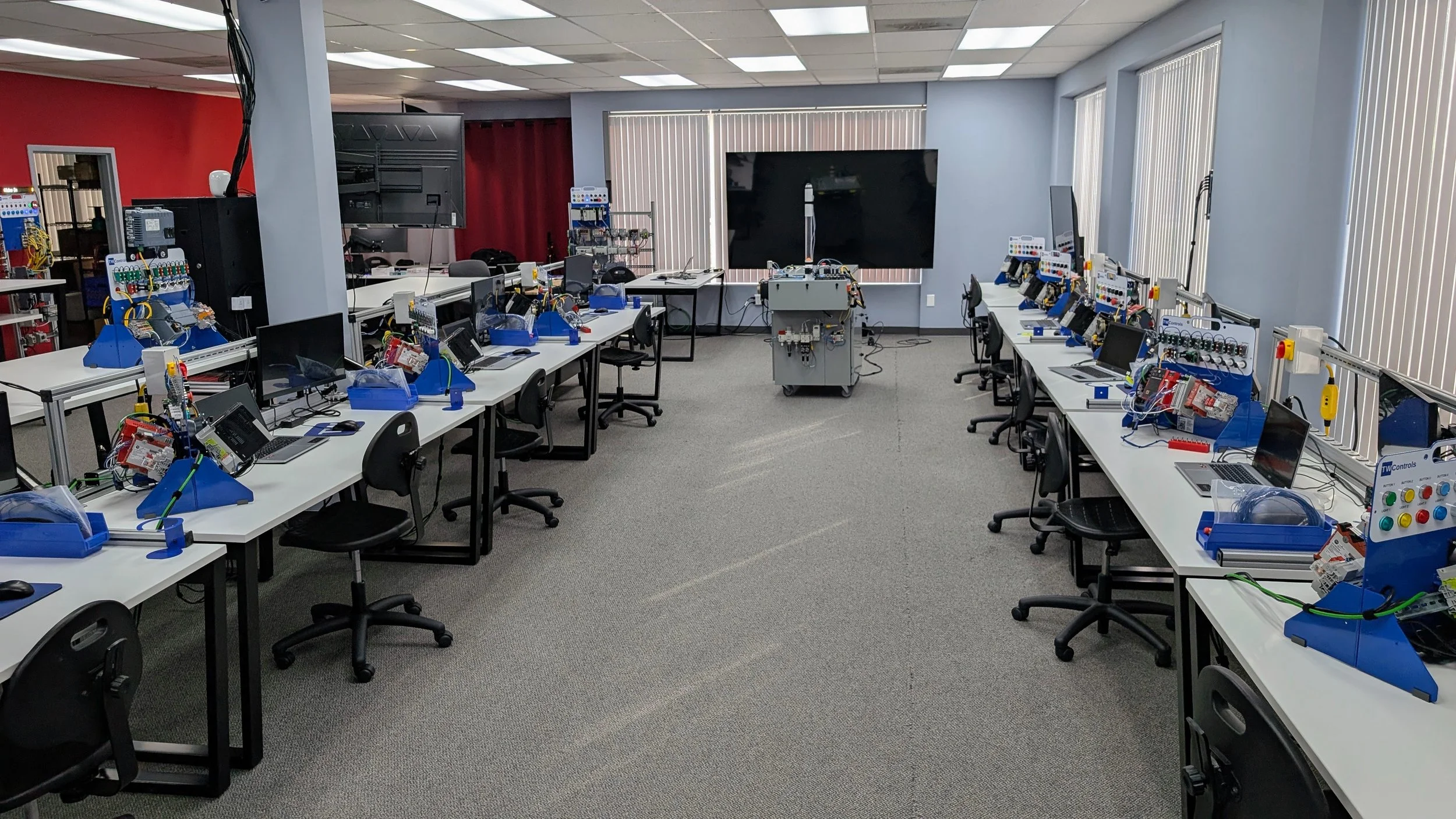
Your Industrial Workstation
This is your dedicated workspace for the duration of the class. You won't be sharing equipment or leaning over someone else's shoulder. Each station is built around heavy-duty industrial framing, real wiring, dedicated power drops, and local safety disconnects just like an actual control enclosure.
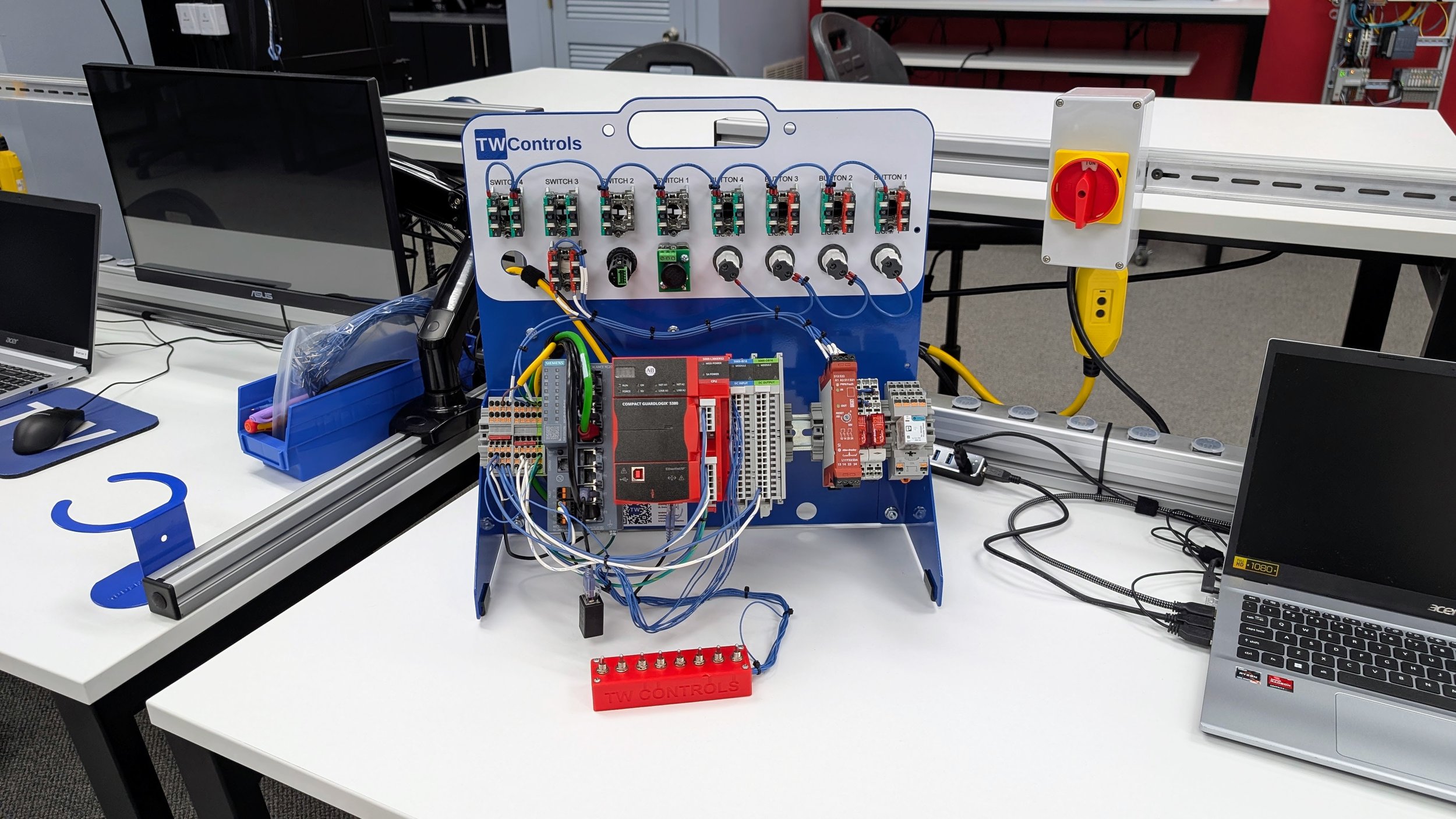
You do not train on scaled-down educational kits or software emulations here. Every station is built with the exact industrial hardware you encounter on the factory floor, featuring a REAL PLC, VFD, and 3-phase motor paired with standard industrial pushbuttons, selector switches, and real pilot lights. This setup gives you the raw infrastructure and space needed to face intense troubleshooting labs, use precise components and techniques to trace actual short circuits, and simulate the high-pressure environment and expectations of a live plant floor.
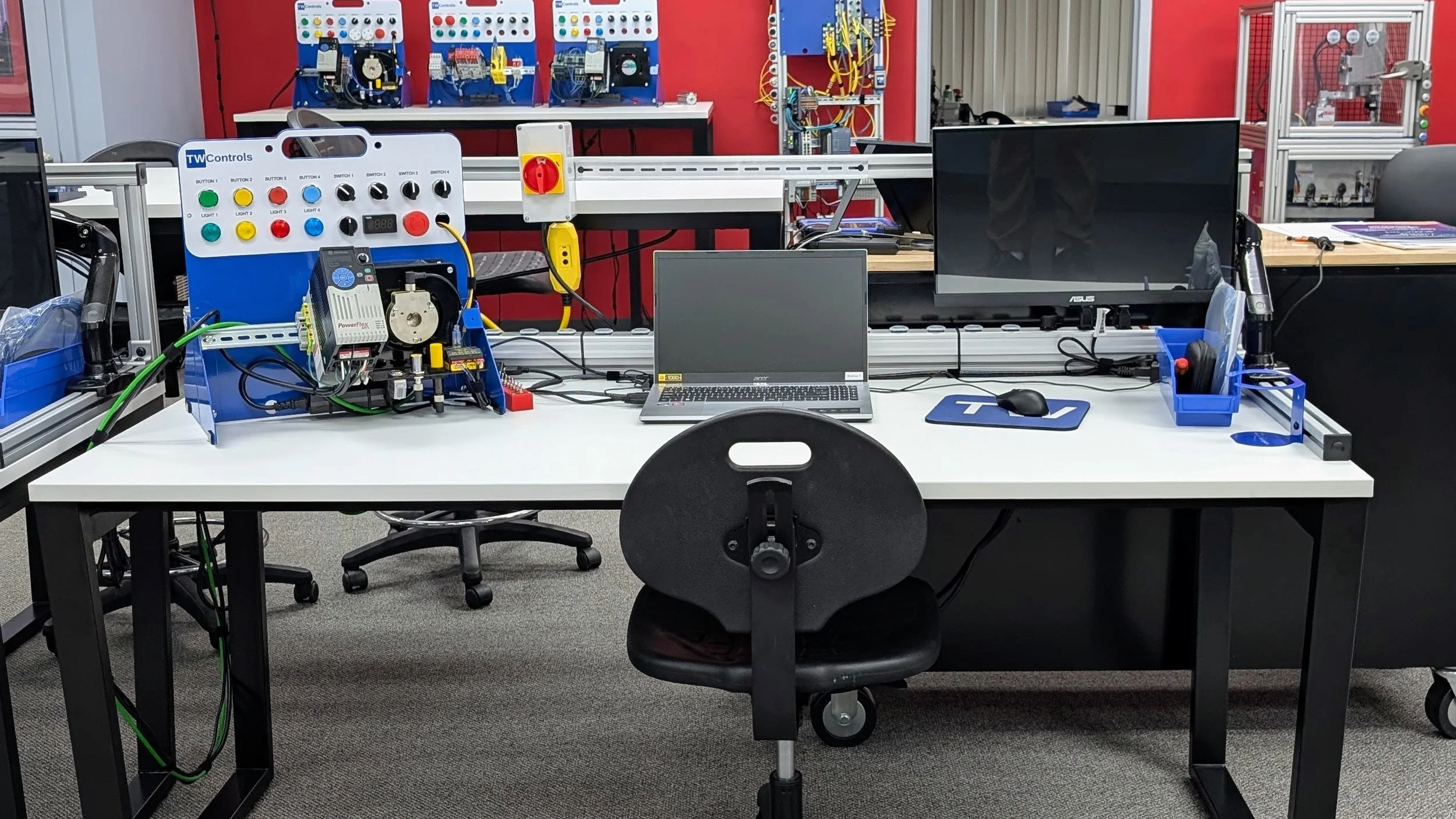
The Hands-On Trainers
Unlike other training courses that waste your time with the history of the PLC and dry lectures that do not help you on the plant floor, we get you moving immediately. We promise that within 15 minutes of class starting on Monday morning, you will use the red switchbox plugged into the right side of the trainer to write and run your very first PLC program. Within the first two hours, you will understand the bulk of the core instructions you encounter in daily PLC programming. Our practical approach ensures that Monday and Tuesday alone deliver the hands-on equivalent of two full college semesters of PLC programming.
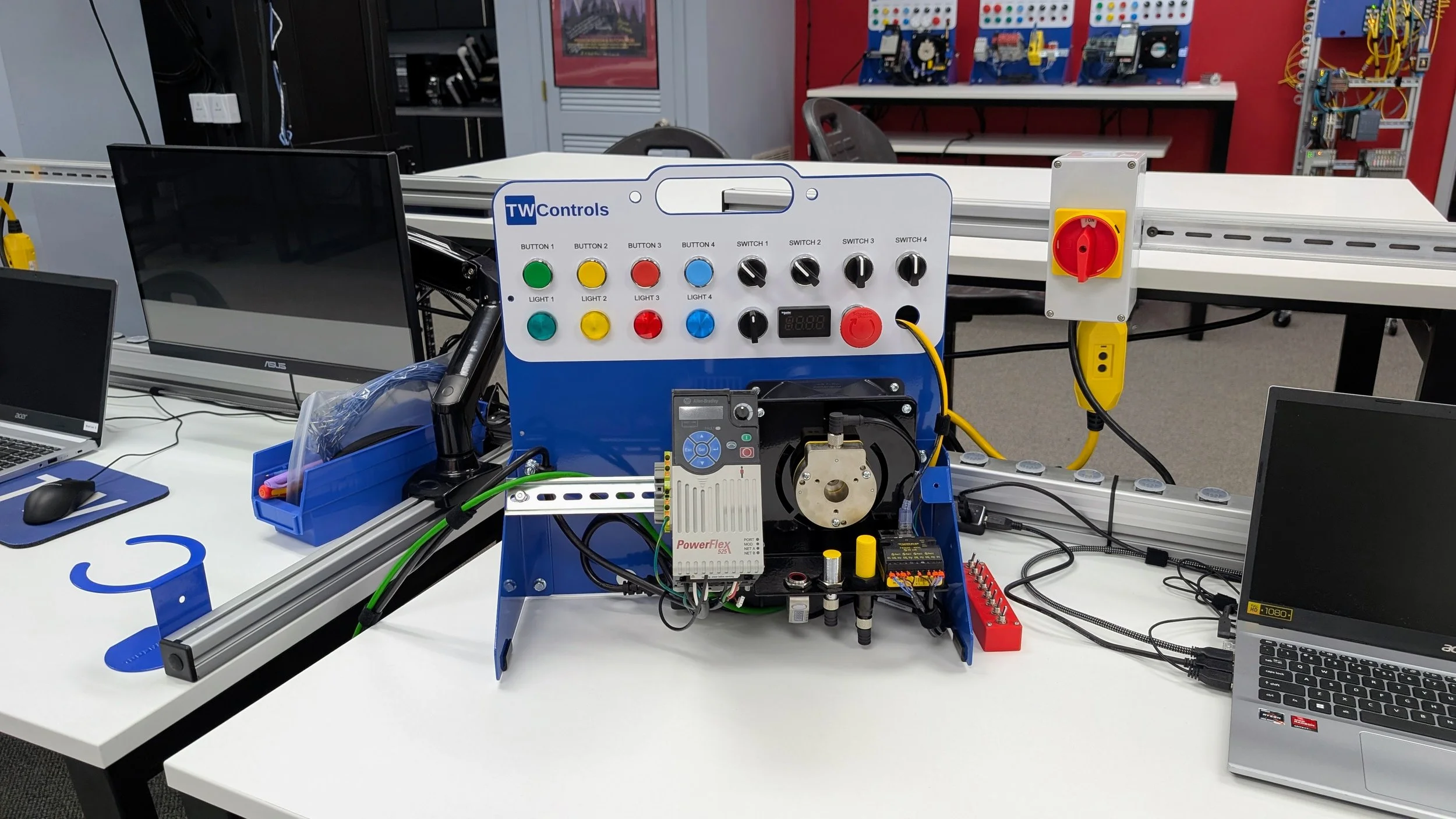
Real-World Wiring and Troubleshooting
After you have written your first program, we take the red switchbox off and you have to figure out how to wire the hardware yourself. We do not hand you step-by-step wiring diagrams or color-coded cheat sheets. In the plant, all you have is the manufacturer manual, a multimeter, and a machine that is down. Our setup forces you to read actual hardware manuals to understand the real differences between sinking and sourcing, NPN and PNP sensors, and 2-wire versus 4-wire 4-20mA analog circuits. You will wire these circuits from scratch under real plant-floor pressure. When your wiring does not work, you have to break out your meter, trace the circuit, and figure out why it failed, building the actual diagnostic skills needed to solve problems on the job.
Inside the PLC Lab: The Equipment Lineup
While you will spend the bulk of your time at your own desk, our training floor is packed with dedicated hardware systems designed to mirror every corner of a modern factory. You will step away from your individual workstation to interface with specialized subsystems, legacy networks, and complex autonomous machinery.
The Unfamiliar Machine
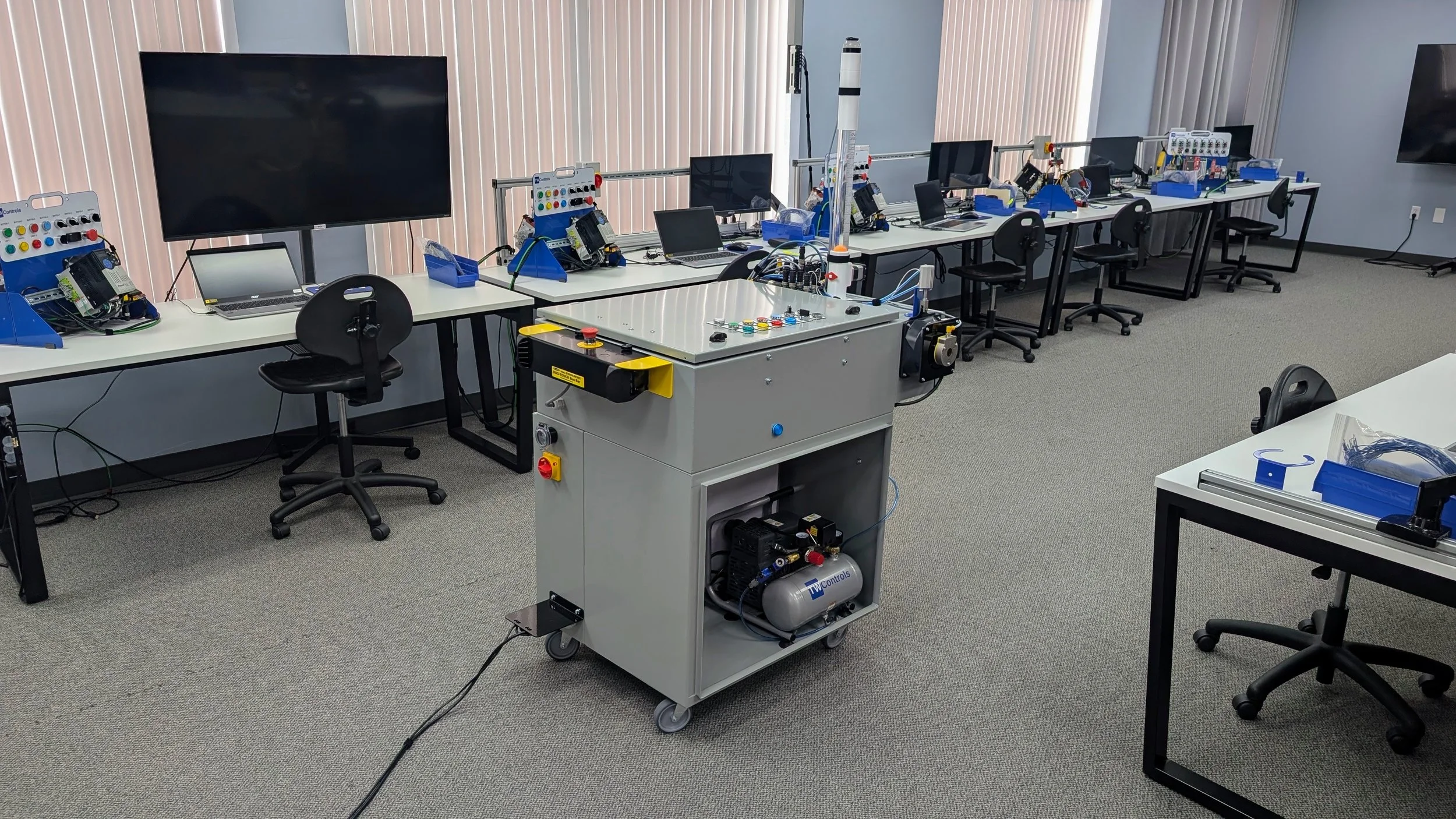
This machine is designed to simulate a piece of equipment you have never seen or worked on before. There are no wiring diagrams, no wire labels, and absolutely no documentation or comments inside the PLC program. You are forced to connect your laptop to a live controller, monitor the raw data, and reverse engineer the program on the fly to understand how the system operates. Coming right after having two college semesters of PLC programming crammed into a couple of days, this is where the "aha!" moments happen. It is the exact point in the class where you realize how much you have actually learned and exactly how you will use these skills out in the field.
Interacting with Live Field Hardware on the Unfamiliar Machine
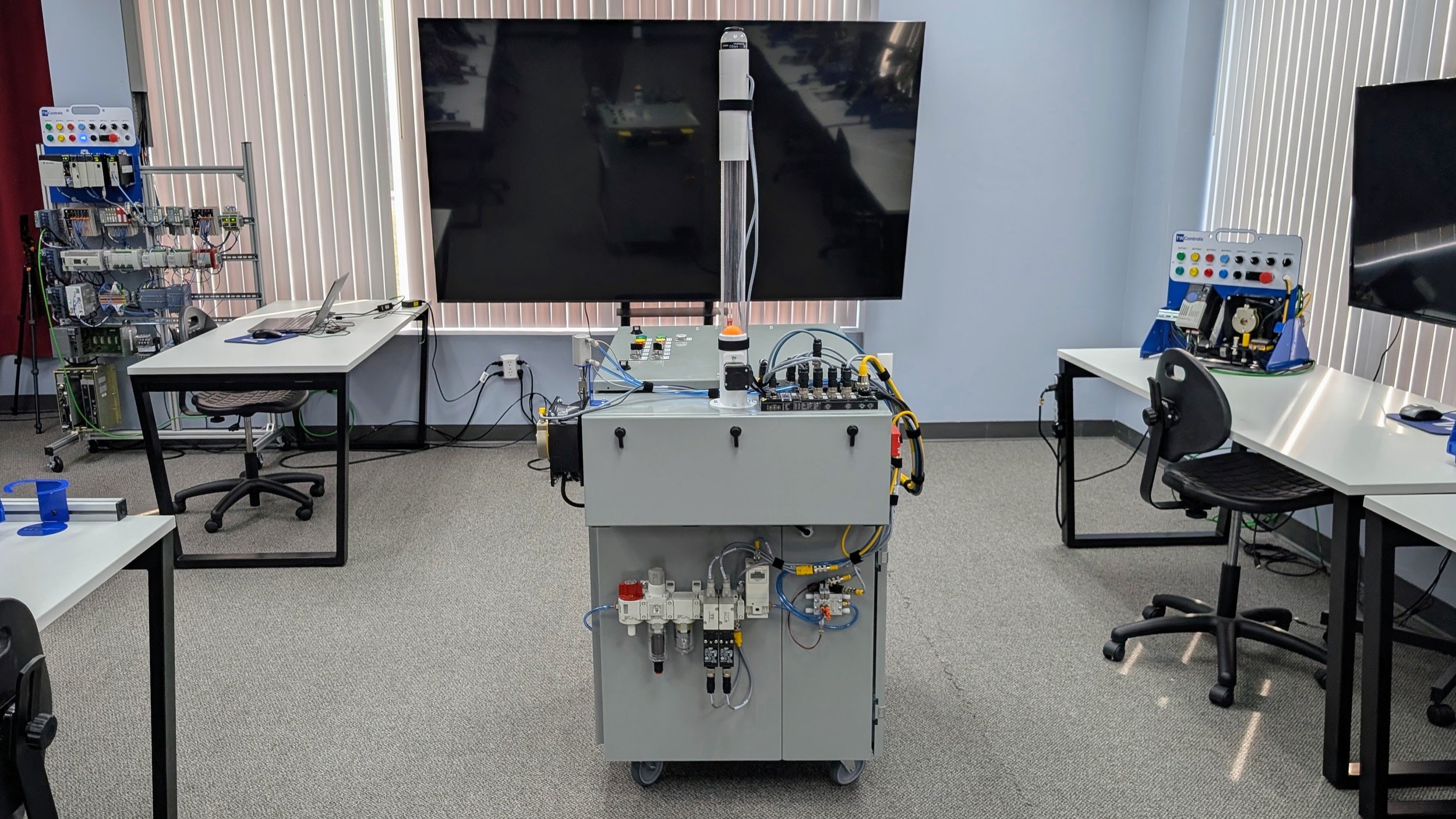
We do not stop at the PLC processor. A controller is useless if you do not understand how it interacts with the physical components driving the machine. This unit exposes you directly to the advanced field hardware you have to manage on the plant floor. It features an array of live technology including pneumatics, servos, and IO-Link communication networks. You will deal with actual air lines, valve banks, precise motion control configurations, and smart sensor diagnostics. This ensures you leave here knowing how to trace a fault from the raw logic all the way through the specialized hardware doing the actual work on the line.
Simulating Plant Faults on the Unfamiliar Machine
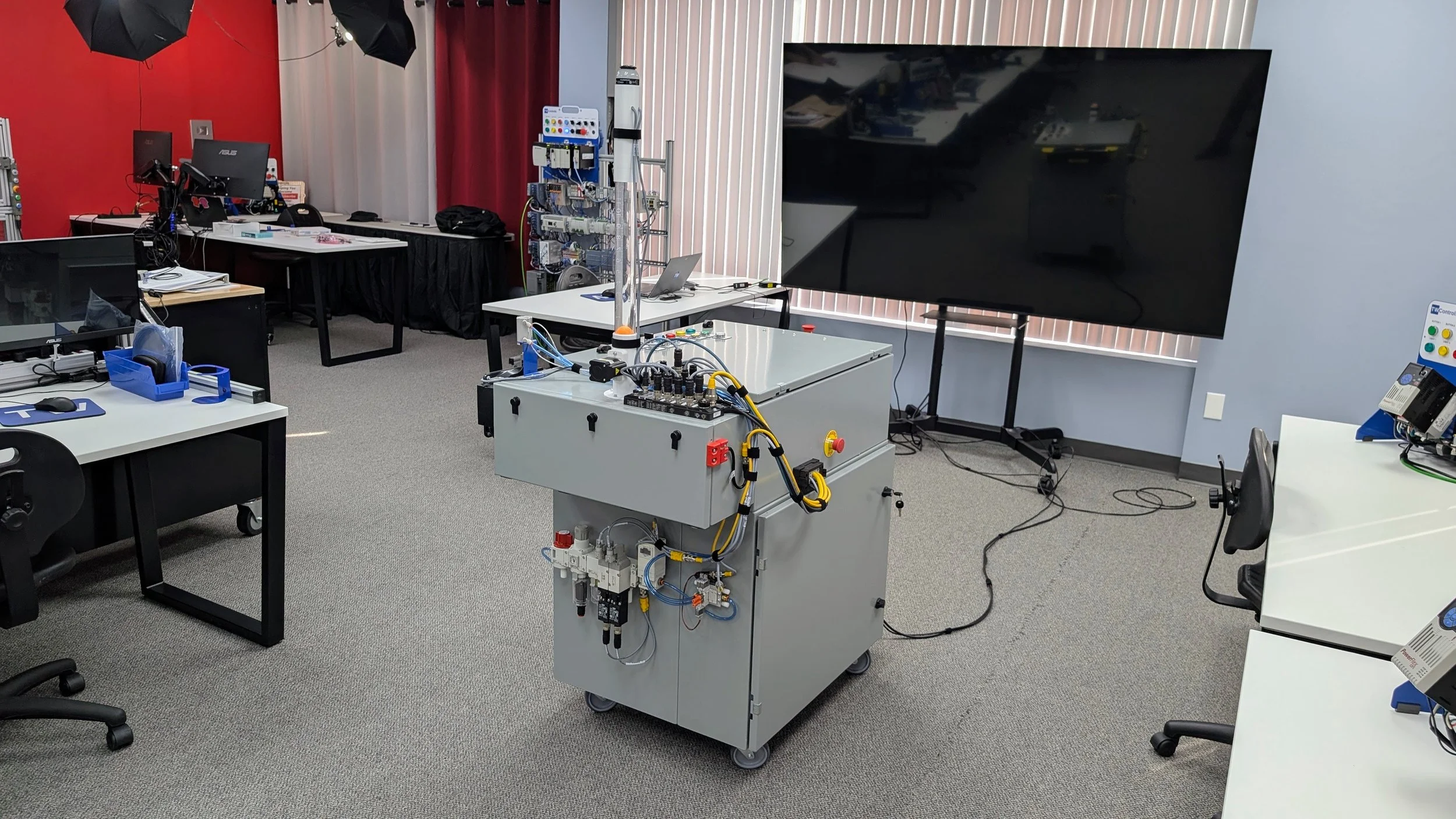
This machine is engineered to break down exactly like real production equipment. By introducing realistic hardware and software faults, we push you beyond simple guesswork and trial-and-error. You have to logically trace signals, analyze how the program is reacting, and systematically pinpoint the root cause of the failure. This intensive practice trains you to think critically through live code under pressure, drastically reducing the time it takes you to find and clear machine faults when a real production line goes down.
Legacy Communications and Cross-Platform Fundamentals
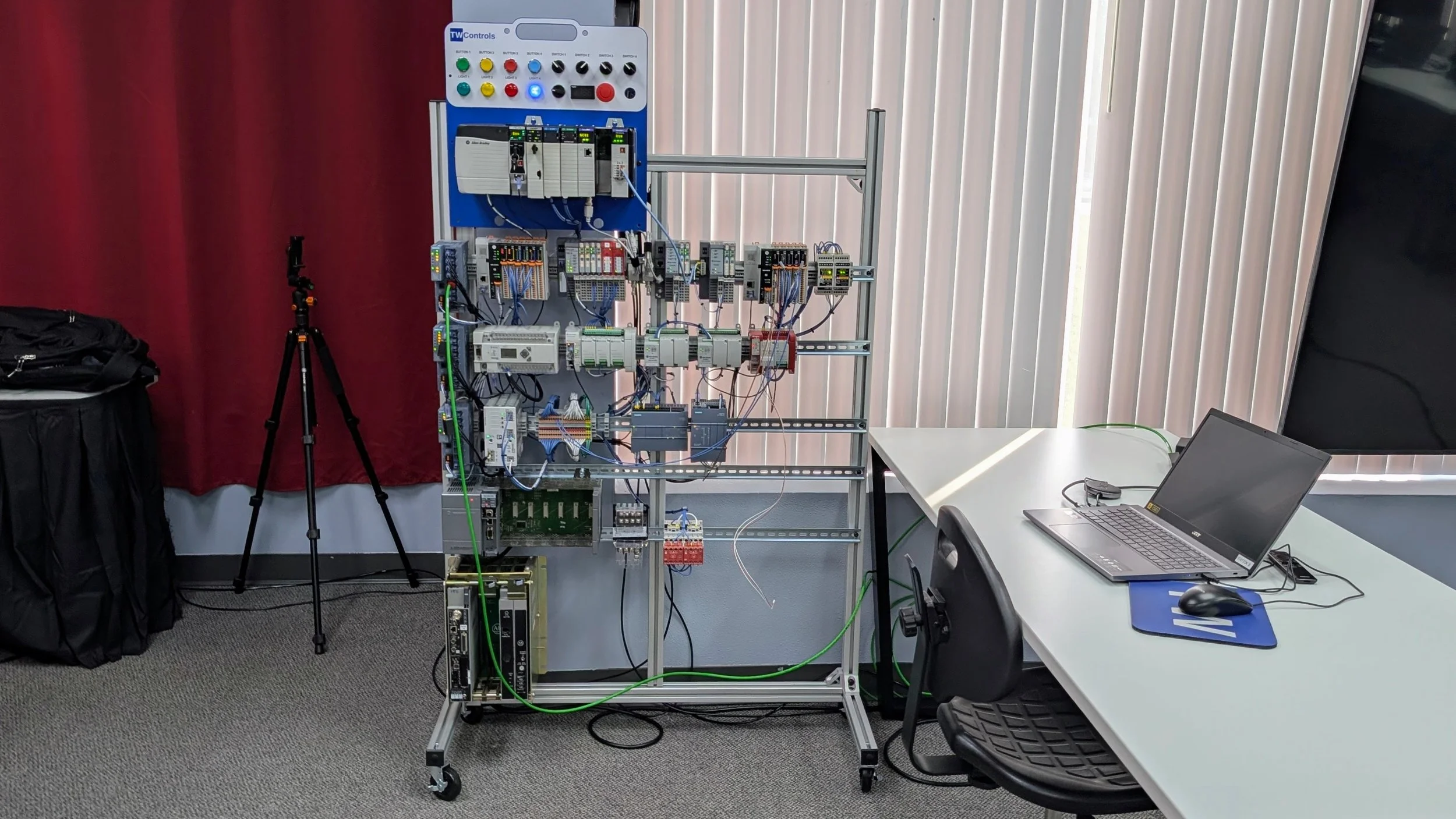
While modern automation relies heavily on EtherNet/IP, you rarely walk into a plant that is 100% new. This rack forces you to work with both current technology and the legacy architectures keeping older lines running, including DeviceNet, ControlNet, and DH-485. You will interface across a massive variety of hardware—connecting to old Allen-Bradley SLC 500s and MicroLogix controllers, modern Micro850s, and even crossing brands entirely to interface with Siemens PLCs. The goal is to prove that good troubleshooting fundamentals are completely universal. Once you strip away the software specific to a brand or era, the core logic remains the same, allowing you to walk up to any platform in any plant and confidently find the problem.
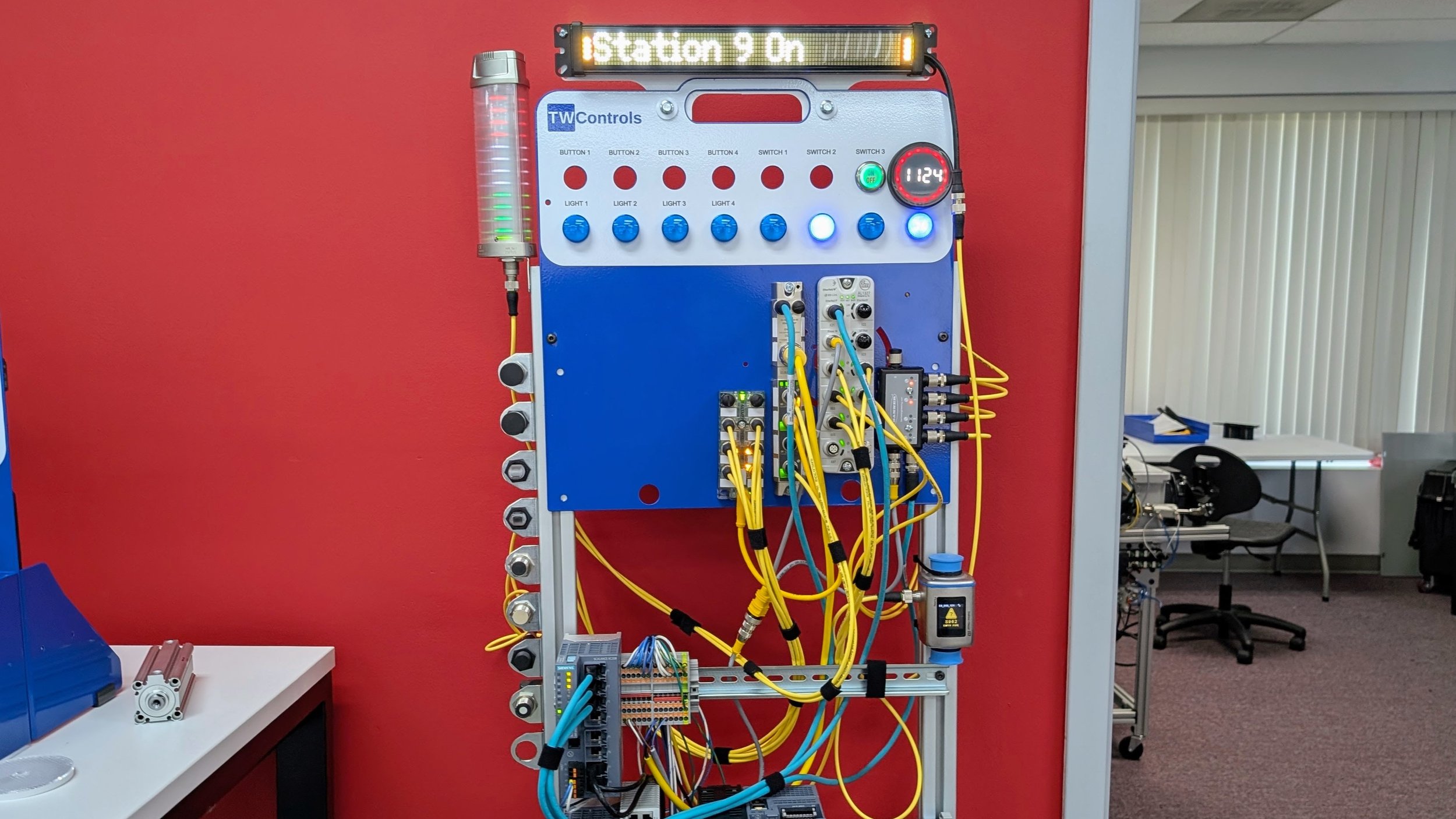
Discovering IO-Link Devices Across Brands
You do not just configure IO-Link devices in a single, closed ecosystem. In our PLC Lab, we are completely brand agnostic, exposing you to hardware from most major IO-Link manufacturers. This specialized rack forces you to scan, identify, and map devices out on a live network across different hardware platforms. Because your individual workstation is also equipped with IO-Link connectivity, you will take the device discovery concepts practiced here and apply them directly to your own system, ensuring you can walk into any plant and confidently integrate or troubleshoot smart sensors regardless of the manufacturer name stamped on the front.
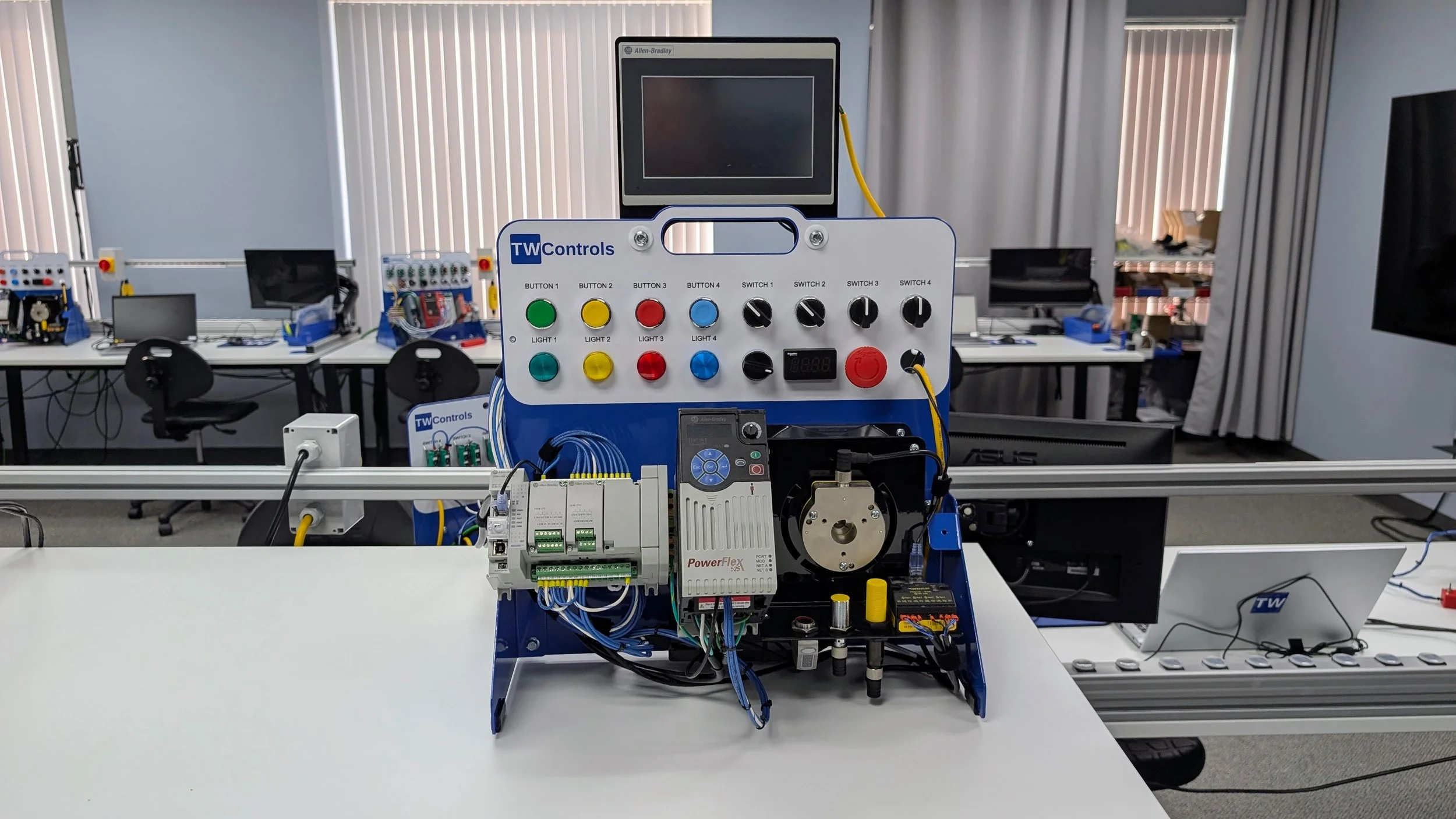
The Micro850 Trainer
This station transitions you from core logic concepts directly into machine integration. Built around a Micro850 controller, an industrial HMI, and a live VFD driving a 3-phase motor, this trainer forces you to manage real component-level interaction. You will configure communication networks, map data between the controller and the operator screen, and program speed profiles for the drive. It strips away the abstract nature of programming by tying your code to physical field devices, giving you a clear understanding of how small-to-midsize machine control systems are tied together and maintained in production.
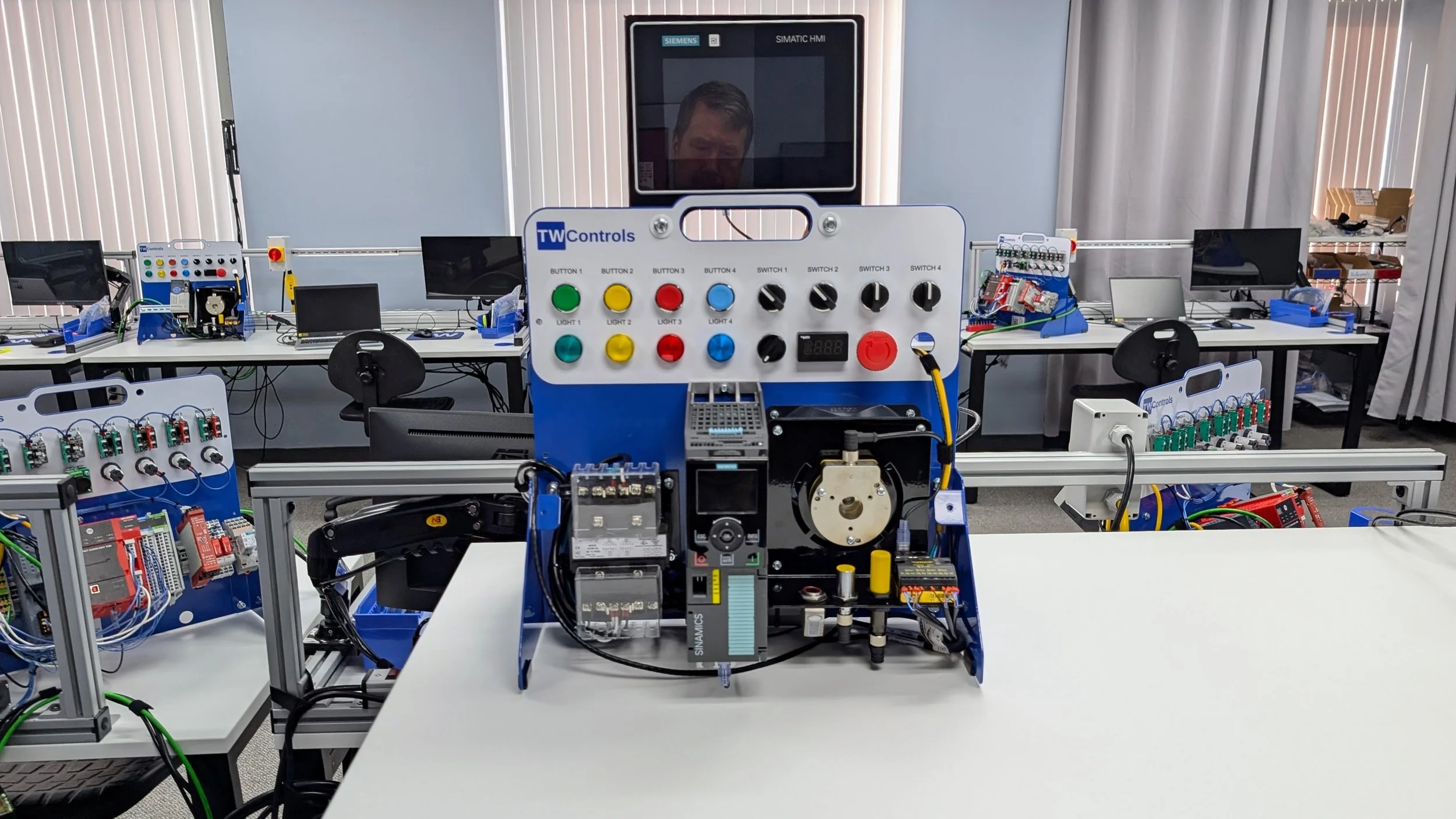
The Siemens Trainer
This station matches the capabilities of our standard workstations but shifts your focus onto an entirely different control ecosystem. Built with a Siemens S7 PLC, a Sinamics VFD, an industrial HMI, and a 3-phase motor, this trainer forces you to navigate different programming software and system architectures. You will configure hardware profiles, establish communication mapping, and handle drive integration from scratch. By applying the foundational logic skills you learned earlier to a completely different platform, you prove that your troubleshooting capabilities are not locked into a single brand, preparing you to confidently handle any factory floor that runs on Siemens hardware.
The Induction Motor Trainer
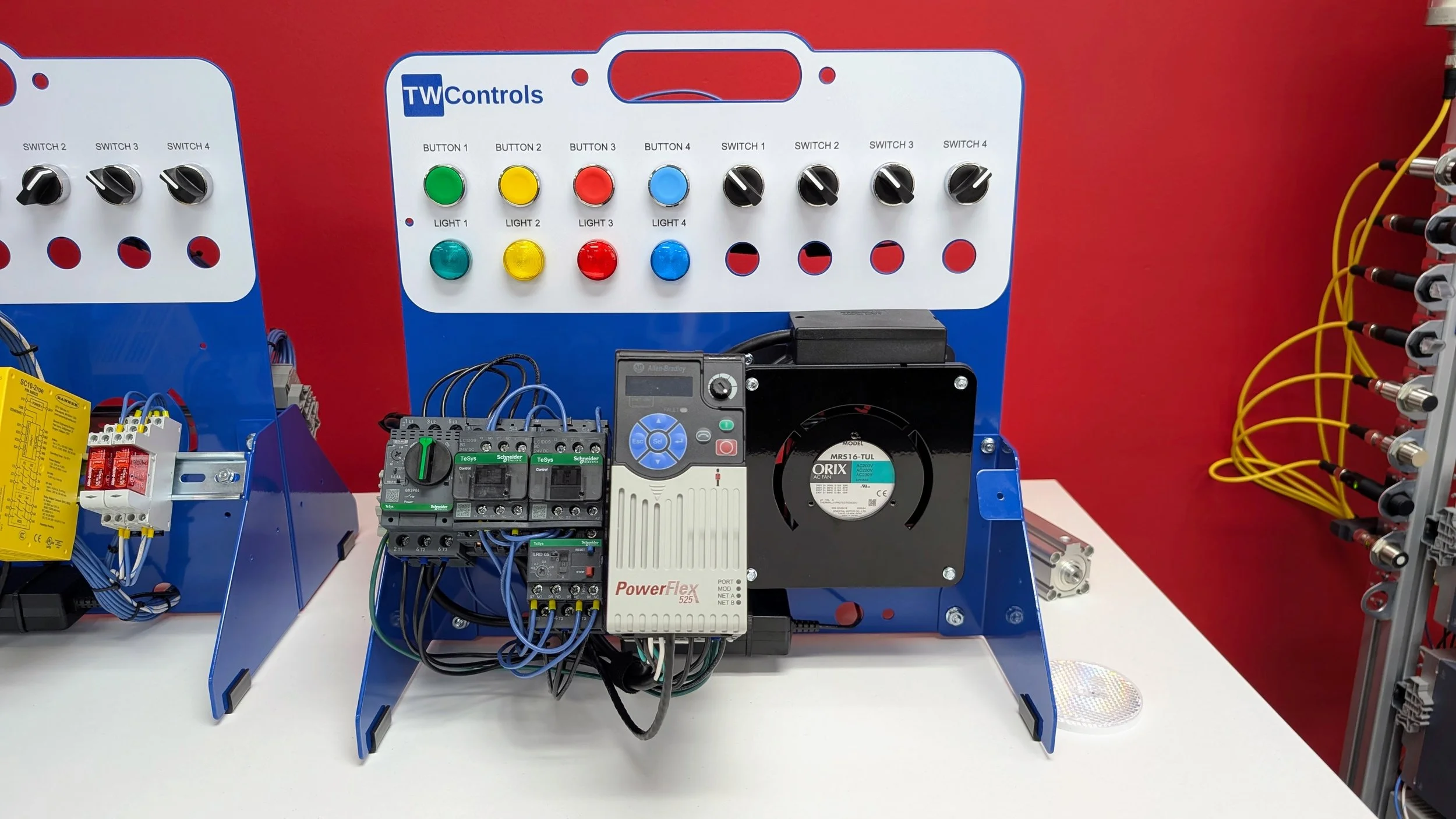
This station bridges the gap between software programming and raw industrial power circuits. Built around a standard three-phase induction motor, a variable frequency drive, and real-world control components, this trainer focuses entirely on motor control circuits and failure points. Instead of just reading text on a screen, you will interact with actual contactors, overloads, and line infrastructure. We introduce realistic, hard-to-find motor and drive failures directly into the hardware. You will have to use your multimeter to trace the fault, determine whether the issue lies in the control wiring, the VFD configuration, or the motor windings, and learn how to get the motor safely back spinning under real-world pressure.
The Safety Trainer
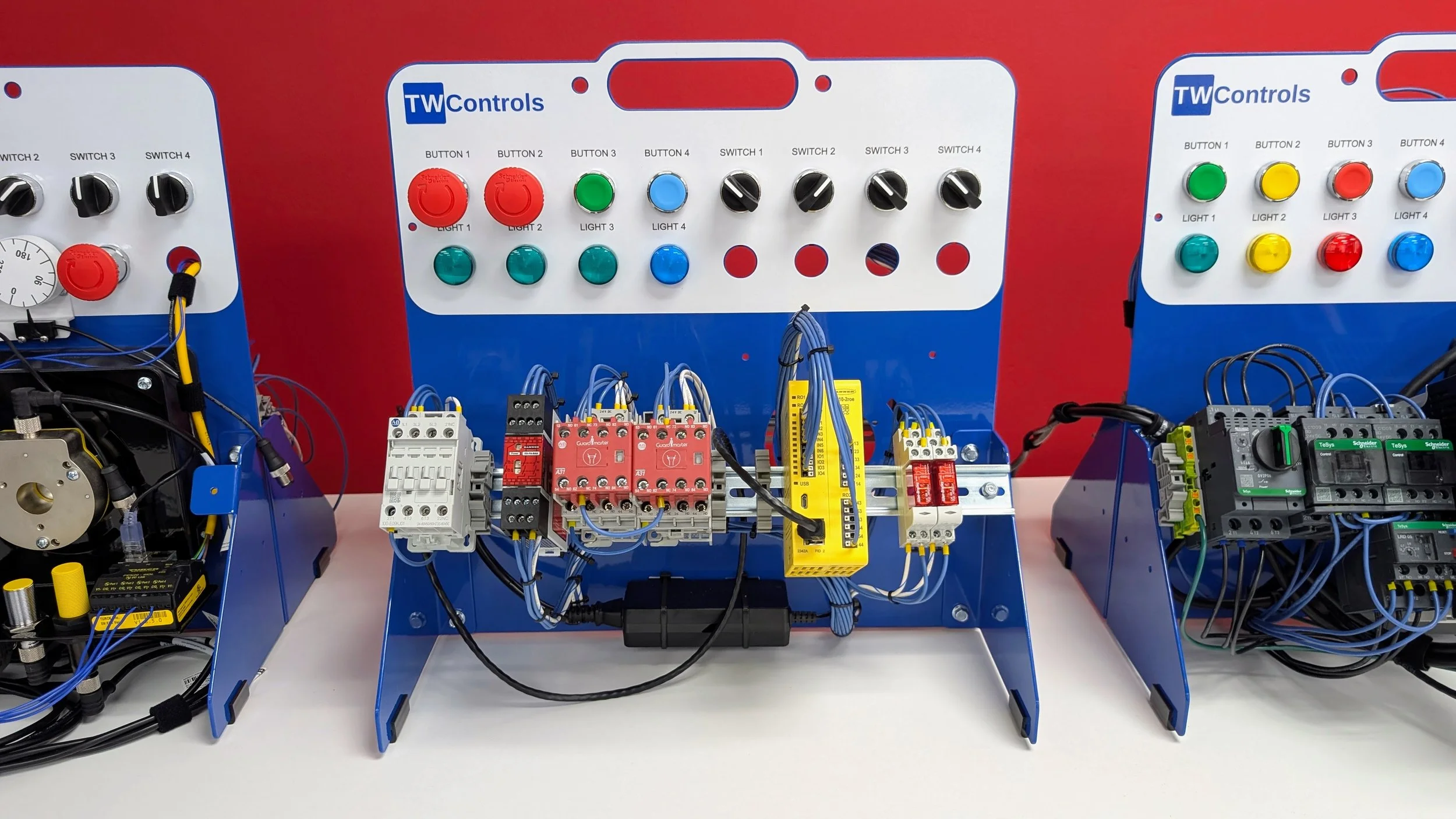
We do not teach you how to perform complex risk assessment math or software safety calculations here. The sole purpose of this trainer is to visually and physically demonstrate how hardware redundancy reduces operational risk. Featuring bright red safety contactors, dedicated safety relays, and industrial E-stop buttons, this station strips away the mystery of safety circuits. You will wire, test, and break dual-channel circuits to see exactly why standard control components are not enough to protect operators. By manually troubleshooting forced faults in a redundant loop, you learn how to diagnose safety interlock failures and understand the real-world infrastructure keeping plant personnel safe.
The Kinetix Motion Trainer
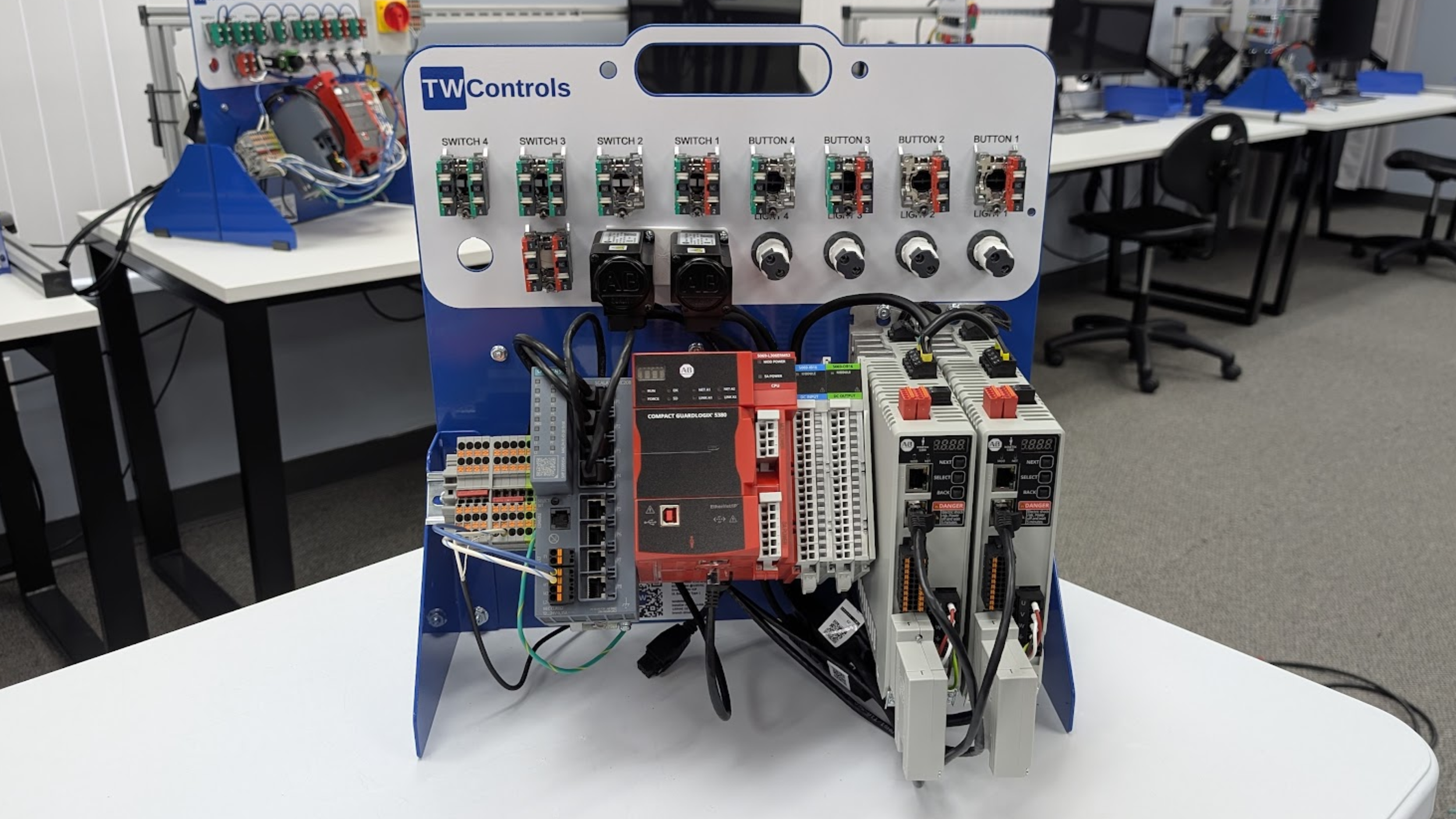
This station advances your skills into high-performance machinery. Built around a multi-axis servo system, this trainer features a dual-axis drive managing coordinated motion profiles. You will dive into precise positioning, configuration of motion groups, and advanced synchronization logic. Because complex motion control requires stringent protection, this unit integrates dedicated safety torque-off functionality directly into the drive architecture. This setup ensures you understand not just how to make high-speed mechanisms move with precision, but how to safely control and troubleshoot complex servo systems under plant-floor conditions.
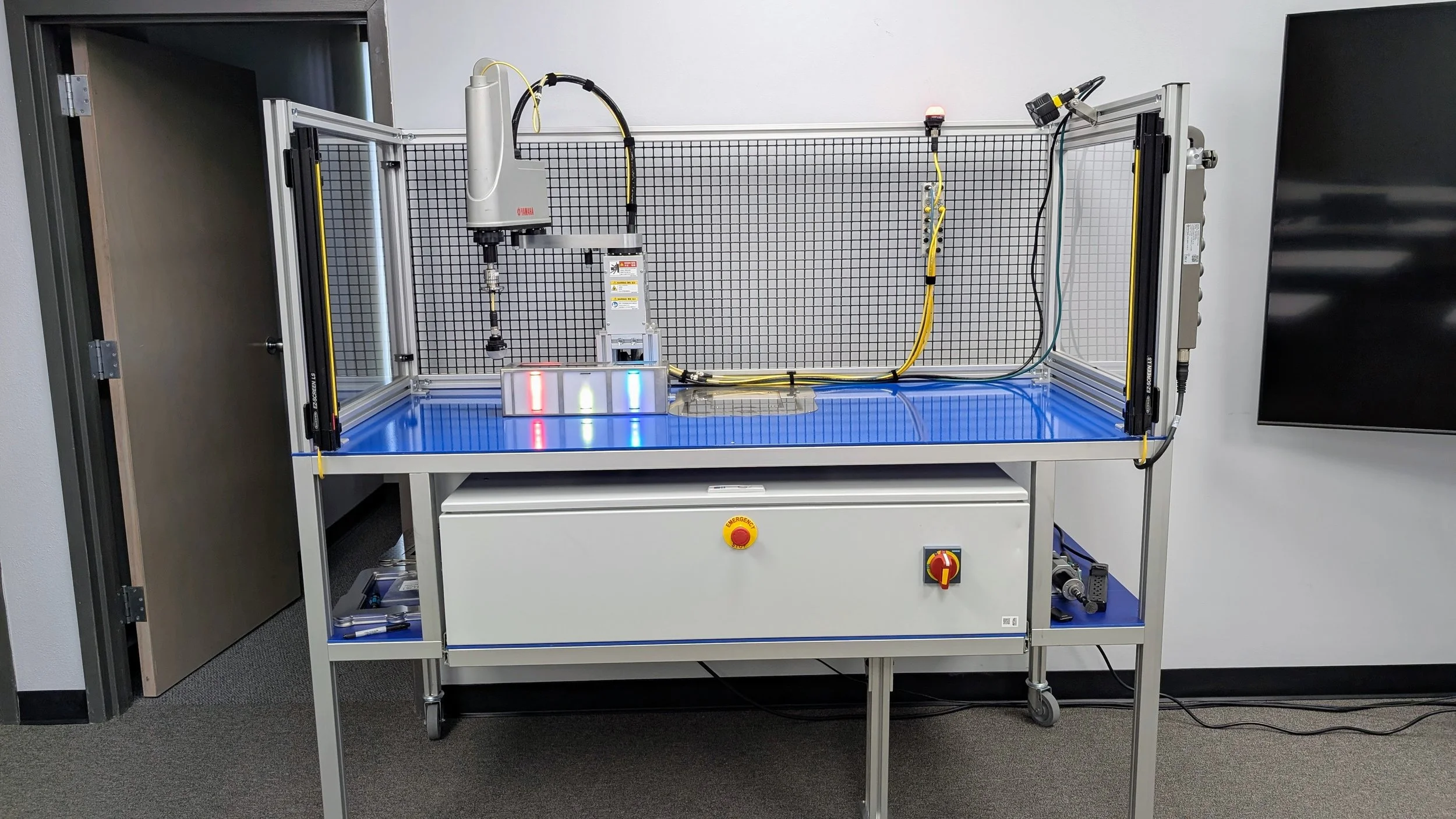
The Robot Trainer
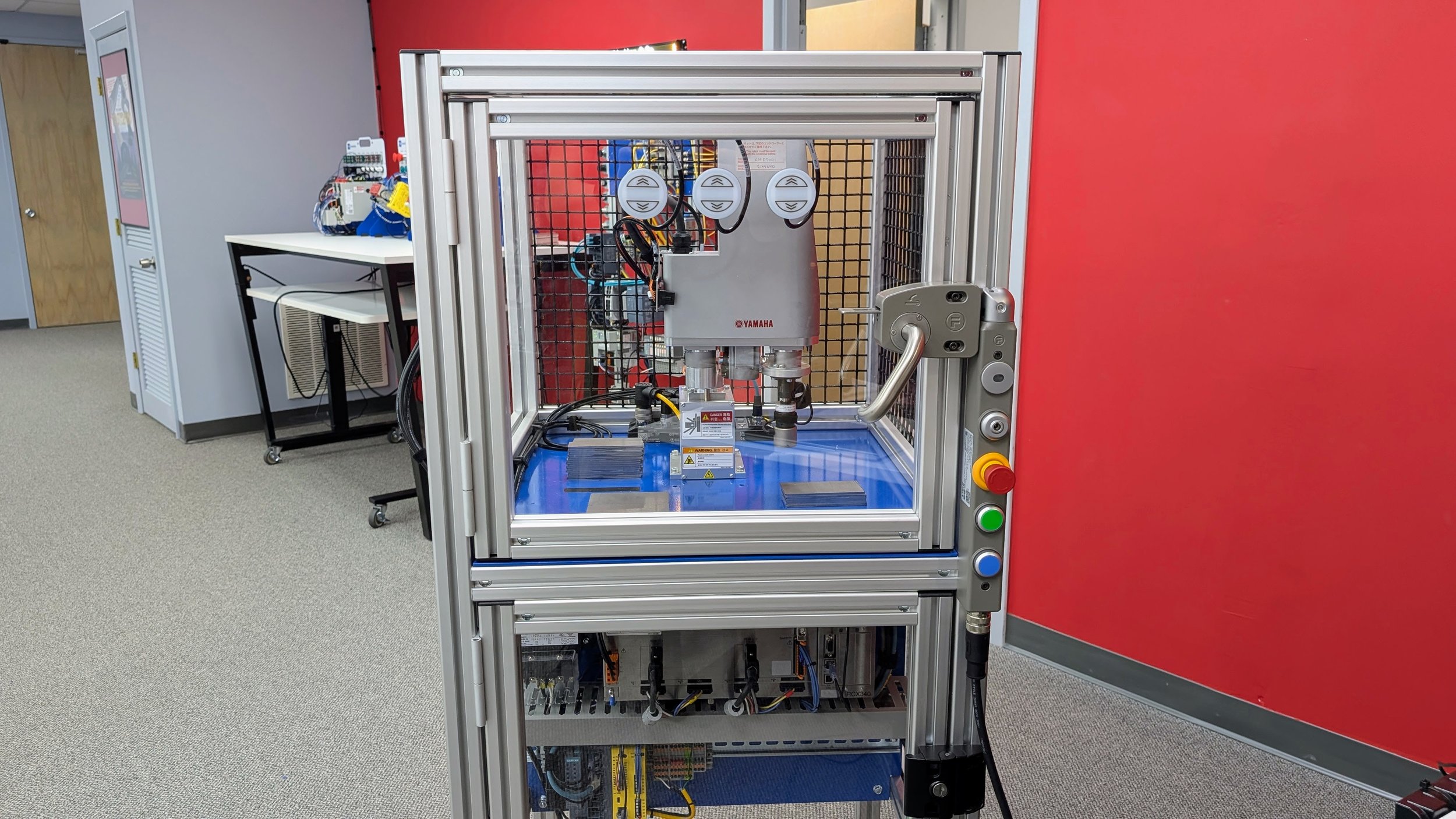
This station serves as the capstone experience on our training floor, bringing together every discipline you have practiced into a single autonomous manufacturing cell. Built around an industrial Yamaha SCARA robot enclosed in a rugged safety interlocking guard, this trainer bridges the gap between discrete PLC programming and advanced robotic automation. You will not just learn how to program paths or manipulate coordinates; you will master how to interface the robot controller directly with a supervisory PLC, coordinate data across field communication networks, and integrate dual-channel safety circuits to handle emergency stops and gate interlocks. It forces you to think systematically, giving you the real-world foundation required to confidently support, diagnose, and maintain high-speed robotic systems on the plant floor.
The Smart Manufacturing Cell
This platform represents the peak of enterprise-level automation on our plant floor, acting as the foundation for our Ignition training. Because managing data is just as critical as managing raw code, this smart cell is completely brand agnostic and acts as a central hub for factory intelligence. Instead of keeping information trapped on a single machine, you will connect this cell to an Ignition SCADA system to collect real-world diagnostics, track production metrics, and monitor line efficiency on the fly. This setup strips away the isolation of independent machines, proving exactly how to pull data from multiple different control brands and turn it into the high-level visibility needed to keep a modern manufacturing facility profitable.