
 Image 1 of 1
Core Capabilities
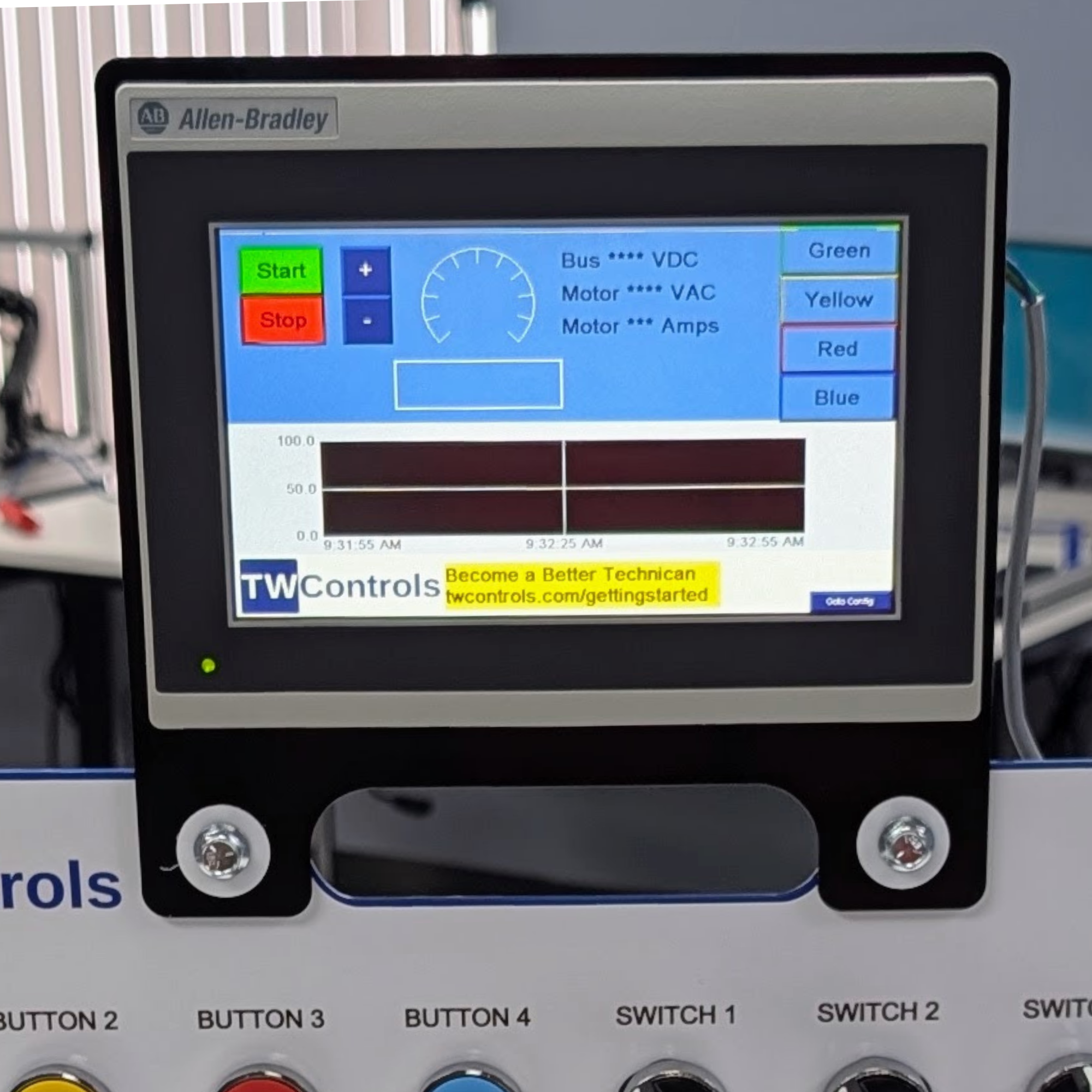
Industrial Touchscreen Interface: Features the Allen-Bradley PanelView 800, a high-resolution graphic terminal used extensively in small-to-midsize industrial applications for machine control.
Integrated Programming: Uses the same Connected Components Workbench (CCW) software as the Micro800 series PLCs, providing a unified development environment for both logic and graphics.
Dynamic Visualizations: Learn to create professional operator screens including real-time pushbuttons, numeric entries, and multi-state indicators that reflect live machine data.
Advanced Data Handling: Practice configuring alarm banners, historical trending, and recipe management to give operators the tools needed to manage complex processes.
Multi-Protocol Communication: Master connecting the HMI to your controller via Ethernet/IP or serial communication, including the ability to communicate with multiple controllers simultaneously.
System Requirements & Compatibility
Software Requirements: Programs with the standard (free) version of Rockwell Automation’s Connected Components Workbench.
Flexible Integration: It can be purchased as a factory-installed option on any new TW Controls PLC Trainer or as an add-on for TW Controls units you already own.
What You Can Do With This Trainer
Design Custom HMI Screens: Learn the fundamentals of Graphic User Interface (GUI) design, including screen navigation and object animation based on PLC tags.
Monitor System Performance: Create Trend Objects to visualize analog data like motor speed or temperature variables over time.
Manage Machine Faults: Configure an Alarm System that alerts the operator of specific failures and logs the event time for troubleshooting.
Implement User Security: Practice setting up password-protected screens to restrict access to critical machine settings and calibration menus.
Master Communications: Gain hands-on experience setting up communication paths to ensure your HMI and PLC stay in constant contact.